
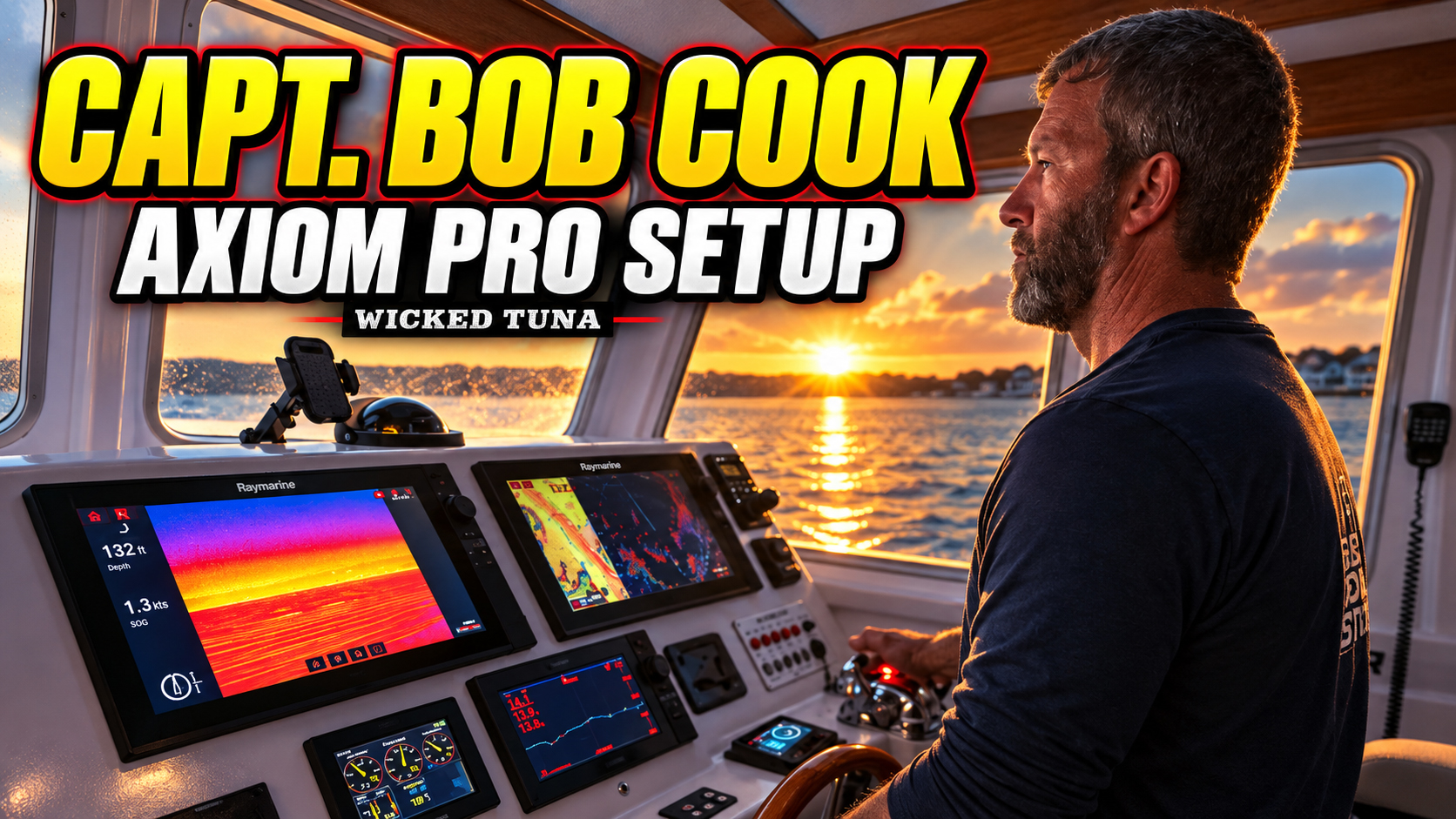
When Captain Bob Cook leaves Gloucester Harbor aboard the Fat Tuna, his electronics aren’t there merely to make the wheelhouse look impressive. They help him navigate safely before sunrise, locate productive fishing structure, monitor his engine room and keep an eye on everything happening across the boat.
Cook gives viewers a practical look at how he uses his Raymarine Axiom Pro multifunction displays during a normal day on the water.
Cook has spent approximately 30 to 40 years fishing the waters of the Northeast. After that much time behind the wheel, he knows the difference between technology that genuinely helps a captain and equipment that makes simple tasks more complicated. He describes the Axiom Pro units as some of the most user-friendly equipment he has operated during his career.
That ease of use matters when a captain is running offshore in darkness, monitoring weather and vessel traffic, searching for tuna and managing everyone aboard the boat. Cook needs to move quickly between functions without digging through complicated menus or losing focus on what is happening outside the wheelhouse.
Navigating Before Sunrise
Many offshore fishing days begin long before daylight. When Cook leaves Gloucester in the dark, one of the first tools he relies on is his FLIR marine camera.
The thermal-imaging system allows him to see heat signatures in low-light and nighttime conditions. Cook can display the FLIR image prominently on one of his larger Axiom Pro screens, giving him another layer of awareness while navigating away from the dock or running through dark coastal waters.
Once daylight arrives, he can switch the camera into visible mode.
Radar is another major part of his early-morning setup. Cook can quickly open the radar application, begin transmitting and display the information alongside his other navigational tools. He often runs a split-screen configuration so that the information he needs remains visible without constantly switching between full-screen applications.
The ability to customize the screen is important. Captains rarely use their electronics exactly the same way, and their preferred layouts can change depending on the conditions. A dark departure, a narrow channel and an offshore tuna trip each create different priorities.
Cook can arrange the Axiom Pro displays around the information that matters most at that moment.
Adjusting Sonar for the Fishing
Cook keeps his sonar running throughout the day, but he doesn’t simply leave every setting in automatic mode.
He regularly adjusts the gain, intensity, clutter and surface-filter settings based on what he is fishing for and the conditions beneath the boat. The sonar configuration he uses while targeting striped bass may be different from the configuration he wants while hunting bluefin tuna.
That hands-on approach is something experienced fishermen understand. Automatic settings are useful, but they cannot always account for changing depths, sea conditions, bait concentrations or the particular targets a captain is trying to identify.
By manually fine-tuning the sonar, Cook can shape the picture around the fishing situation instead of accepting the same generic display all day.
The key is that these adjustments remain easy to access. Cook can make changes quickly and continue fishing without turning a straightforward adjustment into a distraction.
Finding the Edges That Hold Fish
Cook also uses the Axiom Pro chartplotter to study the bottom and identify areas that may concentrate fish.
His displays offer different viewing configurations, including a navigation mode for running through channels and a fishing mode for studying the surrounding water. Cook uses Raymarine’s LightHouse charts and their detailed cartography to search for edges, humps and other pieces of underwater structure.
Those features can reveal the subtle changes that make one section of ocean productive while nearby water appears empty.
An edge can redirect current. A hump can push nutrient-rich water upward. Bottom contours can collect bait or create an ambush point for predators. For a tuna captain, identifying those locations can narrow down a massive stretch of ocean into a much more focused search area.
Electronics do not catch the fish for you, but they can help a knowledgeable captain recognize where the right conditions are coming together.
Cook switches between his charts, sonar, radar and camera views throughout the day. The Axiom Pro system allows him to move among those tools without interrupting his workflow.
Watching the Engine Room
Some of the most valuable technology aboard the Fat Tuna is focused inside the boat rather than beneath it.
Cook has a camera positioned in the engine room, allowing him to check the main engine and transmission directly from the wheelhouse. He can switch one of the Axiom Pro displays to the engine-camera feed and illuminate the compartment when he needs a clearer view.
That gives him an opportunity to spot moisture, smoke or another visible sign of trouble before a developing mechanical issue becomes a serious offshore emergency.
On a vessel operating far from land, early detection matters. A small leak noticed quickly may be manageable. The same leak left unnoticed for hours could result in expensive damage or put the boat and its passengers at risk.
Being able to inspect the machinery without leaving the helm is a practical safety advantage—especially when Cook is running the boat alone in the wheelhouse.
Keeping an Eye on the Cockpit
Cook also uses a camera to monitor the back deck.
While trolling, the camera allows him to watch the crew and anglers working behind the wheelhouse. He can see when a rod goes down, when someone needs assistance or when a passenger is moving around the cockpit.
It is another example of the Axiom Pro serving as more than a fishfinder or GPS. The displays bring navigation, sonar, thermal imaging and onboard camera feeds into a centralized system that Cook can operate from the helm.
For Cook, the value of the system is not based on one flashy feature. It comes from having multiple tools working together in a form that remains simple enough to use during real-world fishing.
Built Around a Captain’s Routine
The most revealing part of Cook’s walkthrough is how naturally the electronics fit into his routine.
He is not presenting a collection of features that look impressive at a boat show. He is demonstrating the functions he actually uses when leaving Gloucester, navigating in darkness, searching for structure, tuning his sonar, checking the machinery and watching the people aboard the Fat Tuna.
Technology aboard an offshore fishing vessel needs to deliver information quickly and clearly. When the conditions change, a captain should be able to change the display just as quickly.
For Captain Bob Cook, that combination of capability and simplicity is what makes the Raymarine Axiom Pro system an essential part of every trip aboard the Fat Tuna.